
Cheque printing software by Codyssa
Checks App The whole cheque cycle, inside your company.
From writing the cheque and the amount in words, to approval and printing on the bank cheque, then delivery with a signed receipt and clearing follow-up. Every step is logged with the user and time, and the log can’t be tampered with.
Key features
Built on the idea that a cheque is money
Every step has an owner, every action is logged, and the data can’t be read outside the app.
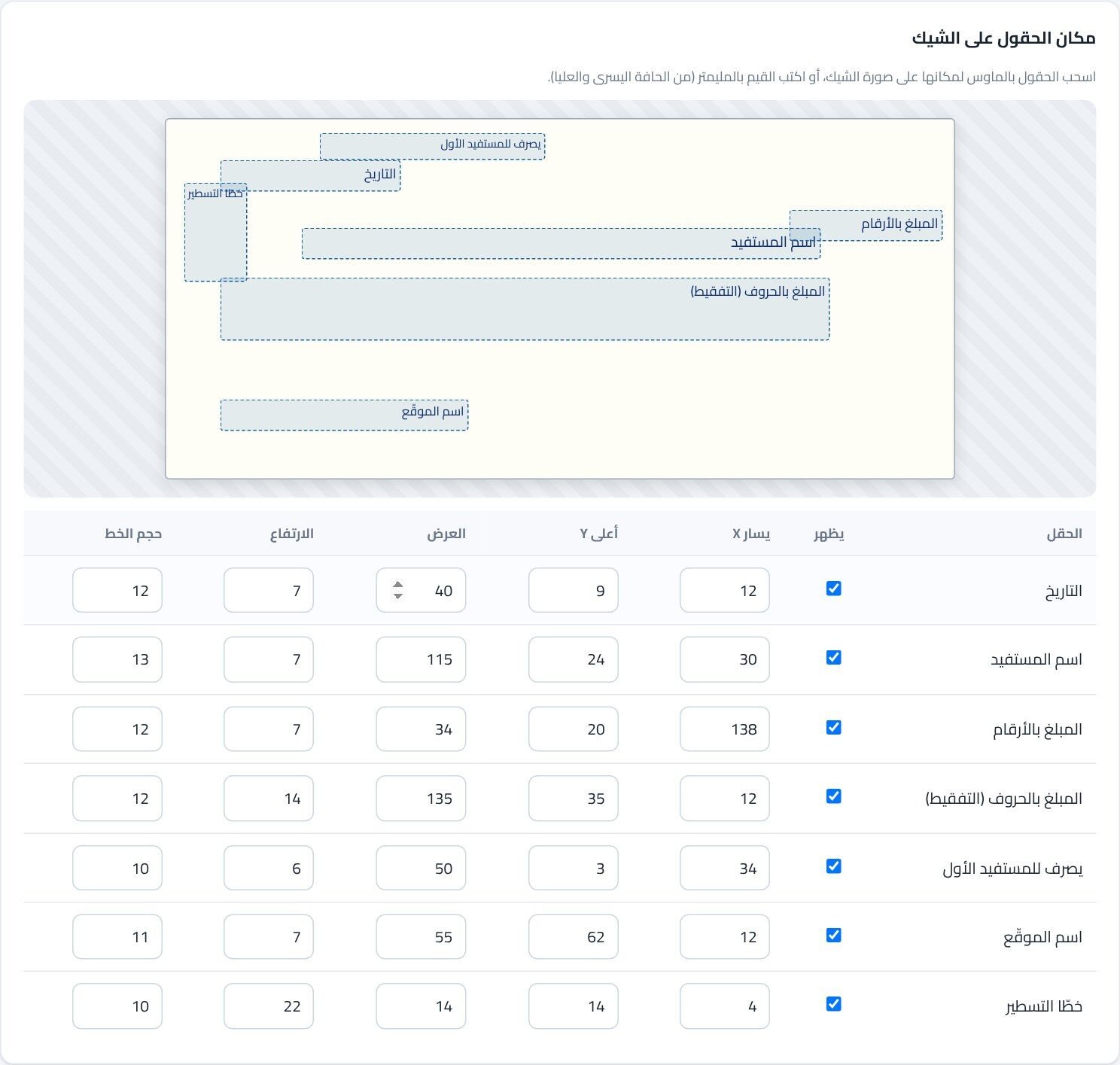
Precise printing on the bank cheque
Each bank’s cheque size and field positions to the millimetre, by dragging or by numbers, with a test print.
Correct amount in words
The amount in words, grammatically correct with fractions, in EGP, SAR, AED, KWD, USD and EUR.
Separation of duties
Whoever writes a cheque can’t approve it, with optional dual approval for large amounts.
Verified delivery
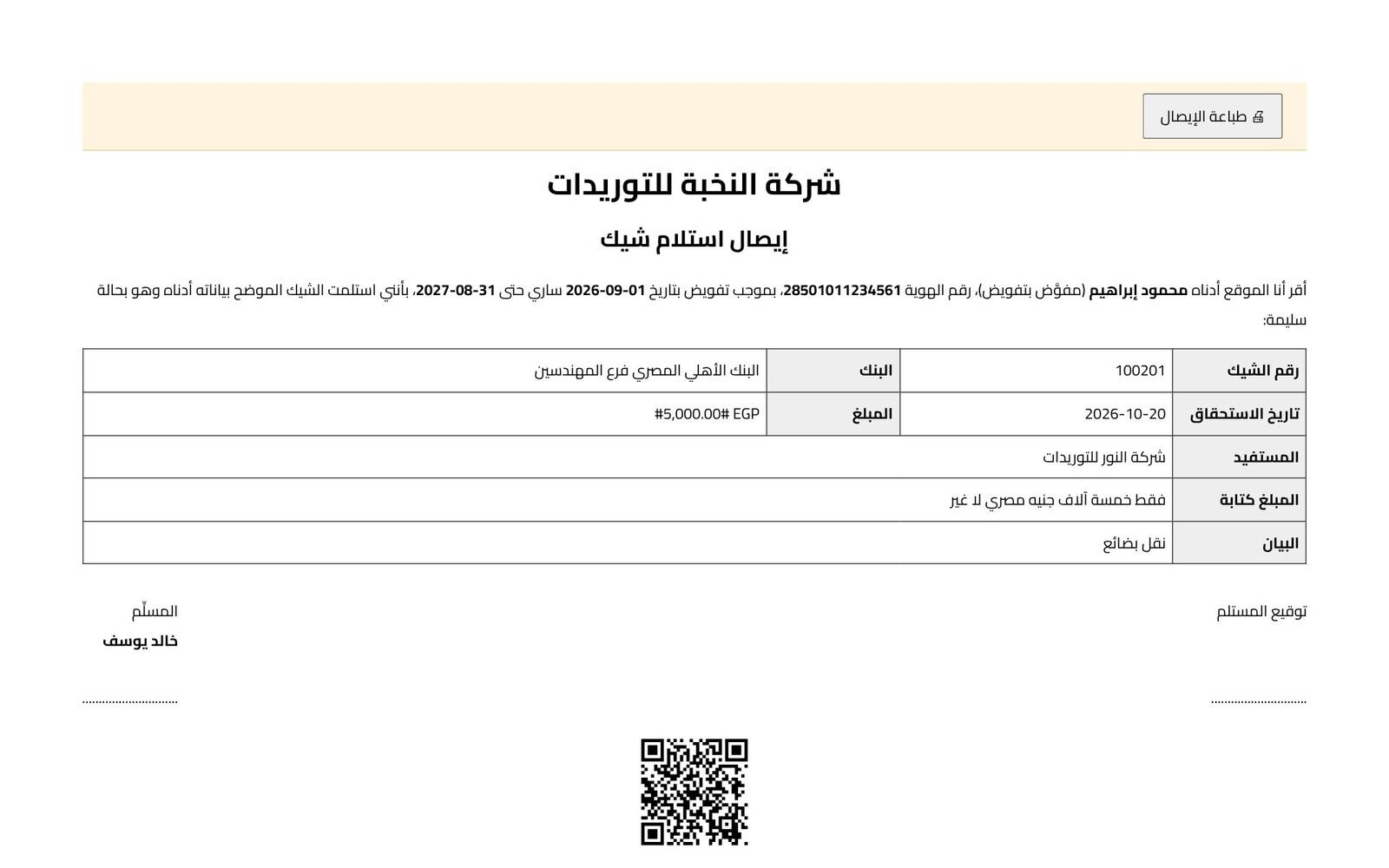
Handed only to a registered delegate with a valid authorization, signed on screen with a QR receipt.
Cheque books
Cheque numbers are reserved from the book automatically, with an alert before it runs out.
Reports & tracking
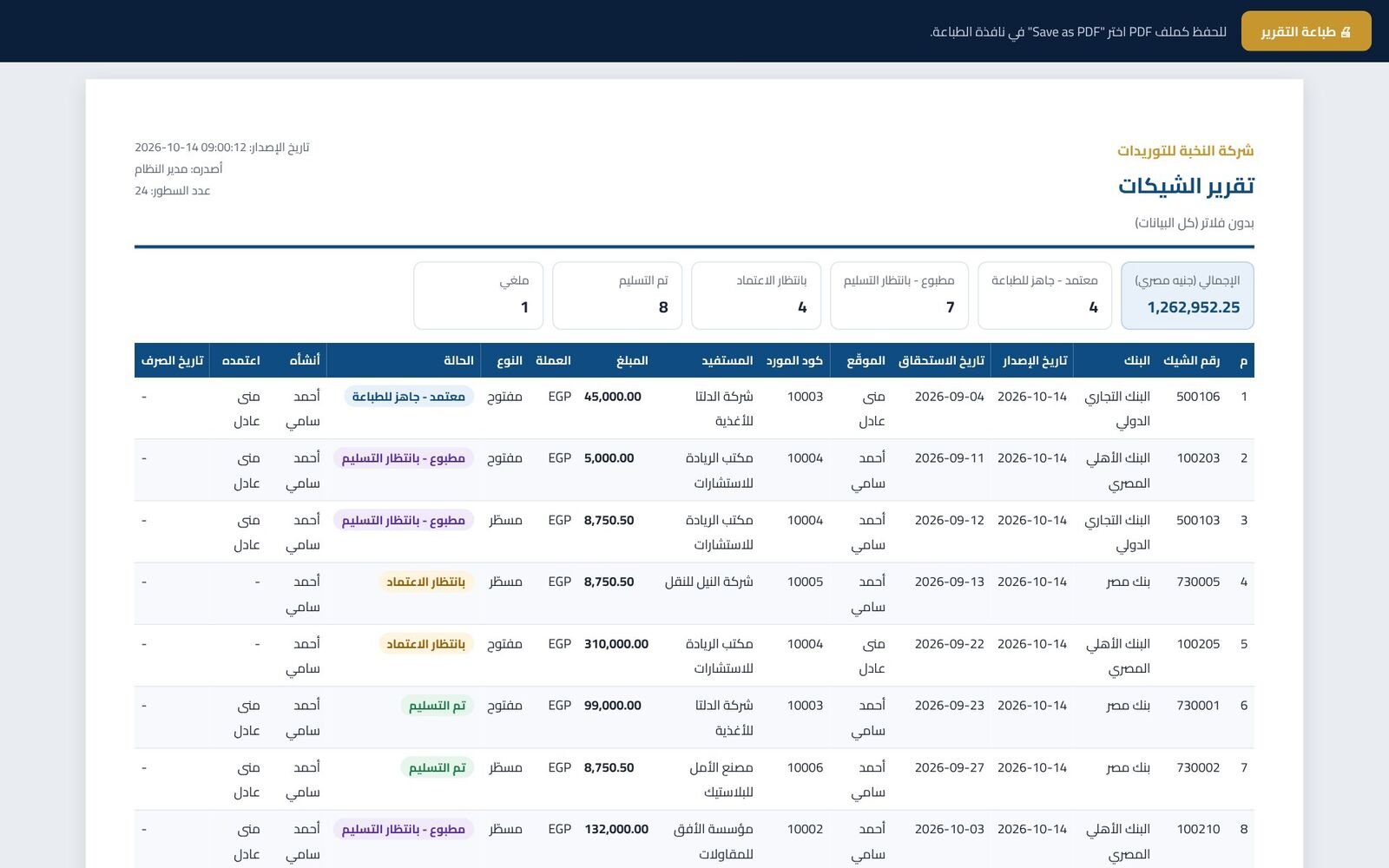
Reports by bank, supplier, signatory and period, expected cash flow, Excel export and A4 printing.
Bank-grade security
Full AES-256 encryption of the database and backups, and a chained audit log that can’t be edited.
Arabic & English
Each user picks the interface language; cheques print in Arabic.
The cheque cycle
From writing to clearing, every step has an owner
A cheque can be voided with a written reason at any point before delivery; voided cheques stay in the log and are never deleted.
- 1
Write Accountant
Picks the bank, supplier and amount; the amount in words appears instantly, with a warning on duplicates.
- 2
Approve Approver
Reviews and approves; nobody can approve a cheque they wrote.
- 3
Print Accountant
One original print; reprints are admin-only with a mandatory reason, and every print is logged.
- 4
Deliver Cashier
Hands it to a registered delegate after checking their ID, and prints a signed QR receipt.
- 5
Clear Optional
Record the clearing date manually or automatically from the bank statement.
Inside the app
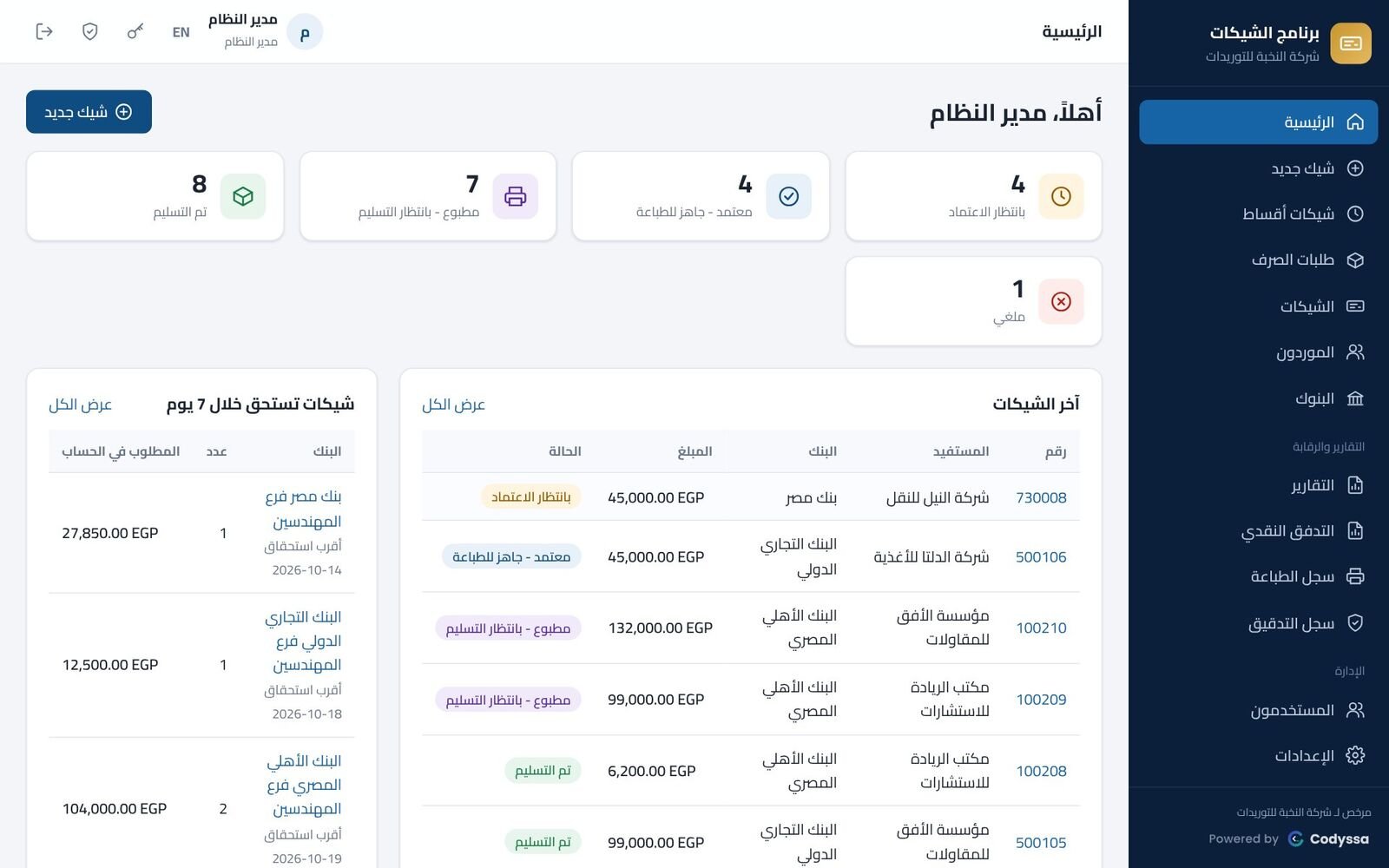
Screenshots
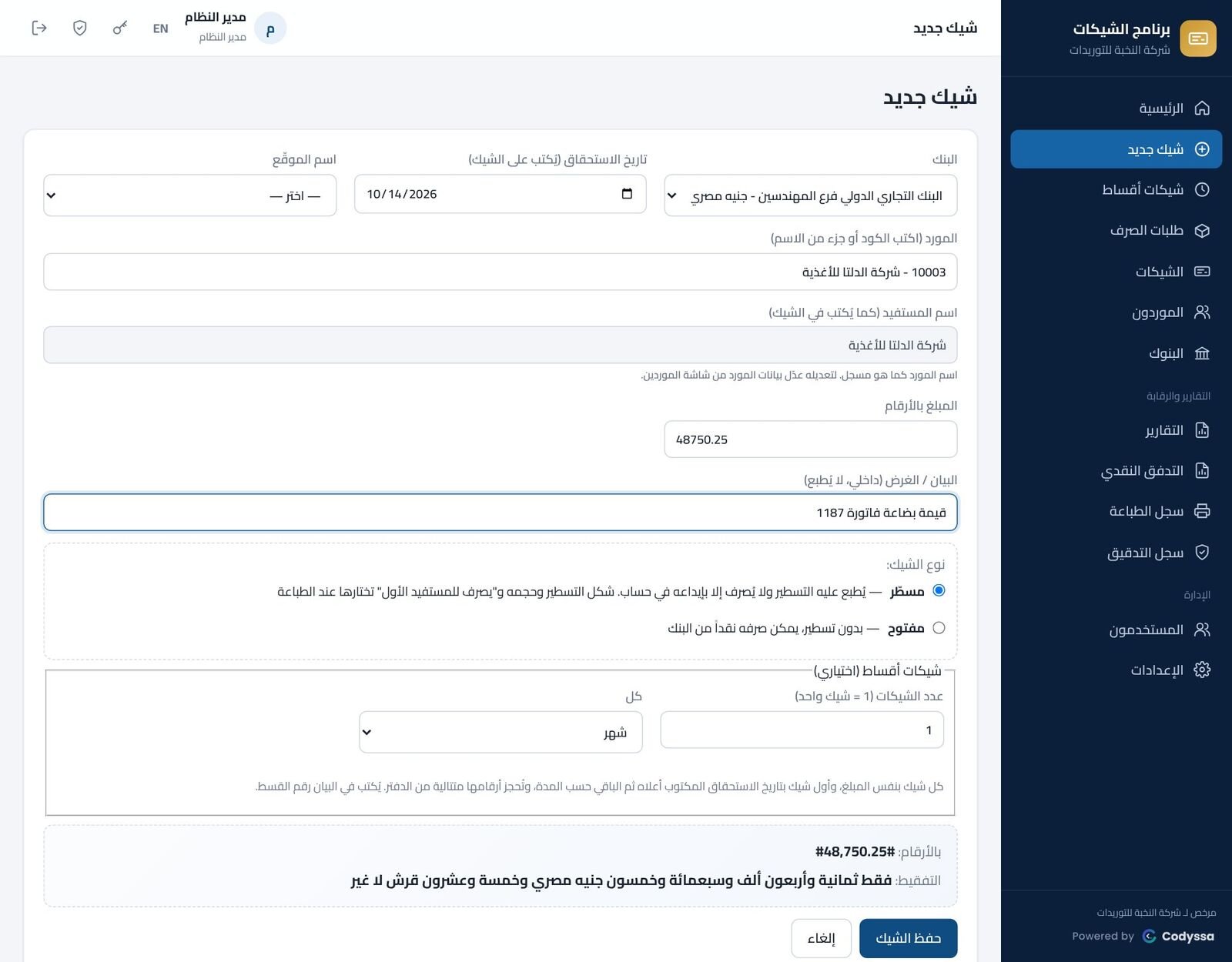
Security
Your data never leaves your company
It runs on your company server or a single PC, and staff open it from their browser with nothing to install. It needs no internet to work and sends no data outside.
- Database and backups fully encrypted with AES-256, with a key bound to the server.
- Payee, account, ID and authorization data are encrypted a second time.
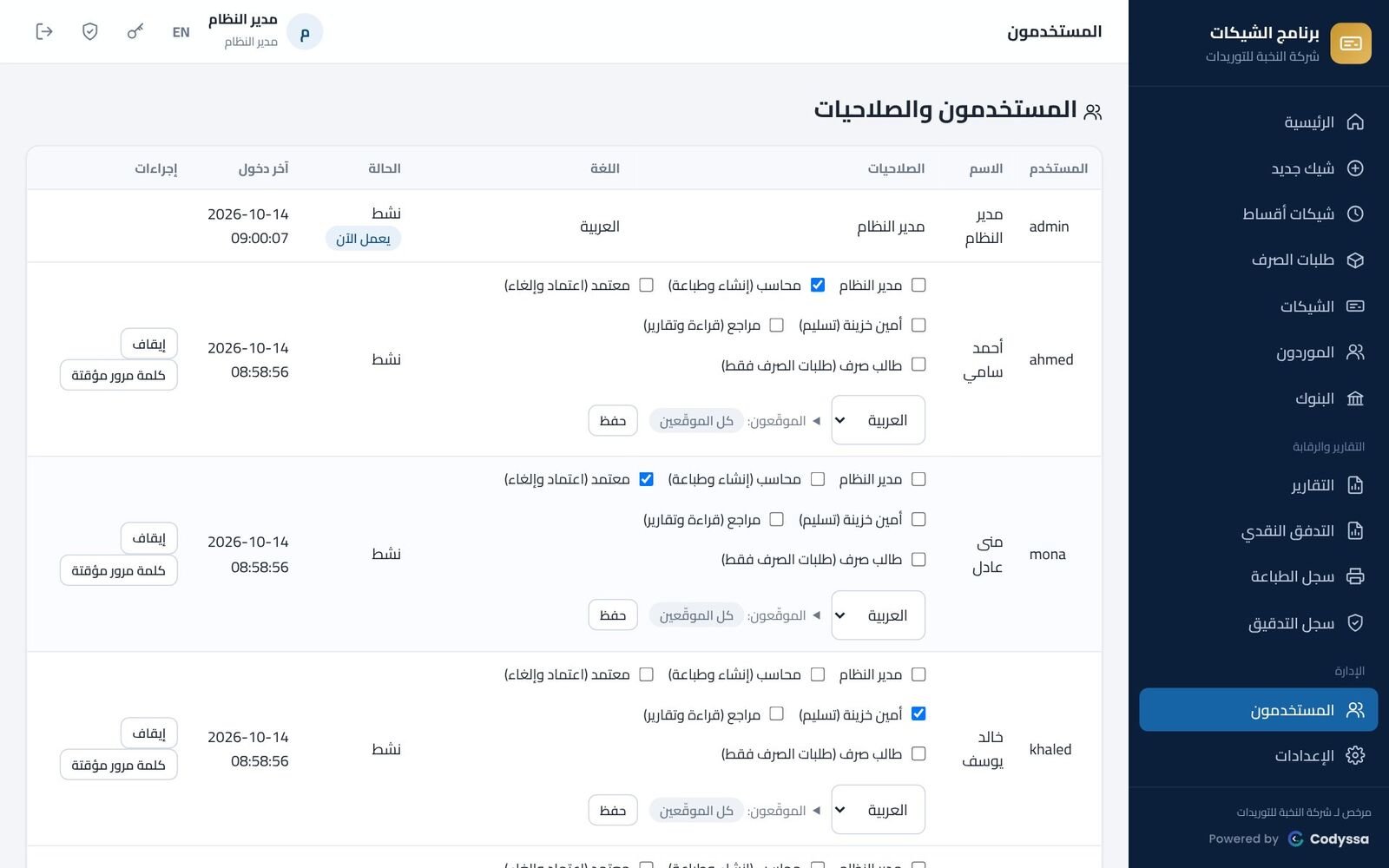
- Per-user roles: admin, accountant, approver, cashier, auditor, payment requester.
- Optional two-step login, lockout after 5 failed attempts, and no simultaneous logins on one account.
- A SHA-256 chained audit log: any edit or deletion from outside the app shows up instantly.
- Automatic encrypted daily backups, and a recovery key for moving to a new server.
Try it free
Download and start in minutes
- Enter your name and phone or email, then download.
- Copy the files to your server or PC and run install_server_windows.bat as administrator.
- Open it from any company PC’s browser and add your banks, suppliers and users.
- Try every feature (15-day free trial, up to 5 users), and when you’re ready we send you a license key. Your data stays when the trial ends.
📘 The user & security guide (PDF, Arabic) comes with the download.
What are the requirements?
A server or PC with Windows 10 / 11 or Windows Server 2016–2025. Staff PCs only need a modern browser (Chrome or Edge), plus a laser or inkjet printer on the PC that prints cheques.
Does it need internet?
No. It runs on your company network without internet, and data never leaves the company.
What happens after the trial?
Enter the license key on the activation screen. The license is bound to your server and carries your company name and user count; all your data stays.
Can I add any bank?
Yes. For each bank you set the cheque size and field positions in millimetres, with multiple layouts if the cheque book changes.
Can we import our old cheques?
Yes. Cheques issued before the app are imported from Excel so they show in reports and search; suppliers can be imported from Excel too.
Download the free trial
Version 2.3.0 • Windows 10 / 11 • Windows Server • 21.4 MB • 15-day free trial
Have a project in mind? Let’s talk.
Tell us what you need and we’ll reply with a proposed solution and a clear quote.